Press kit
One line
Cadence turns an audio or video recording into a timestamped transcript that knows who was speaking — entirely on your Mac.
Short description
Cadence is a native macOS transcription app with speaker diarization built in. Drop in an interview, a podcast or a screen recording of a meeting, and read it back as speaker-labelled turns with timecodes instead of a wall of text. Everything runs on the Apple Neural Engine: no account, no upload, and no per-minute billing.
Longer description
Cadence ships five speech engines and lets you choose between them per recording, because accuracy, download size and language coverage pull against each other. Apple Speech is the default and needs no download at all, so the app transcribes on first launch. Parakeet TDT v2 is the most accurate on English; Parakeet TDT v3 covers 25 European languages, with a compact build for when disk is the constraint; Whisper large-v3-turbo handles 100 languages and detects them itself. Each engine keeps its own transcript for a recording, so trying a second one never overwrites the first. Apple Speech and Parakeet TDT v3 compact are free and unlimited; the three full-size models are Cadence Pro.
Speaker diarization runs via pyannote Community-1, a 22 MB download, and is part of the free app rather than a paid add-on, because speaker-attributed turns are what the app is for and diarization adds to whichever engine you use rather than replacing it. So is playback: a transport under the transcript plays the source file from 0.75× to 2× while the transcript follows along, marking the word as it is spoken and tinting the turn it belongs to. Cadence Pro is a one-time purchase that adds six things on the Mac: the full-size speech models, Parakeet v3 and v2 and Whisper; Transcribe All, which works through the whole library; briefs, which summarize a transcript into decisions, action items and open questions using Apple's on-device model; model comparison, which reads two engines side by side with the words they disagree about highlighted and the on-device model's verdict on which one was right; dictation into any app, which types what you say wherever your cursor is; and the full export set of WebVTT, Markdown, JSON and CSV. On iPad, Pro adds everything but dictation and Transcribe All; on iPhone, the full-size models and queueing several recordings at once. One purchase covers all three.
Cadence does not record. Transcription reads files you already have, and the only network request it makes is fetching a speech model, once. Dictation opens the microphone only while you dictate, recognizes the speech on the Mac, and never saves or sends the audio.
Fact sheet
| Name | Cadence |
|---|---|
| Developer | Magenta Creations |
| Platform | macOS 26 or later · Apple Silicon · iPhone and iPad, iOS 26 or later |
| Category | Productivity |
| Version | 1.4.1 |
| Price | Free, with a one-time Pro unlock at $9.99 (early launch price through 1.x, rising to $29.99 at 2.0) |
| Website | https://cadence.mgcrea.io |
| App Store | App Store |
| Support | https://cadence.mgcrea.io/support |
| Privacy | https://cadence.mgcrea.io/privacy |
| Press contact | support@mgcrea.io |
Assets
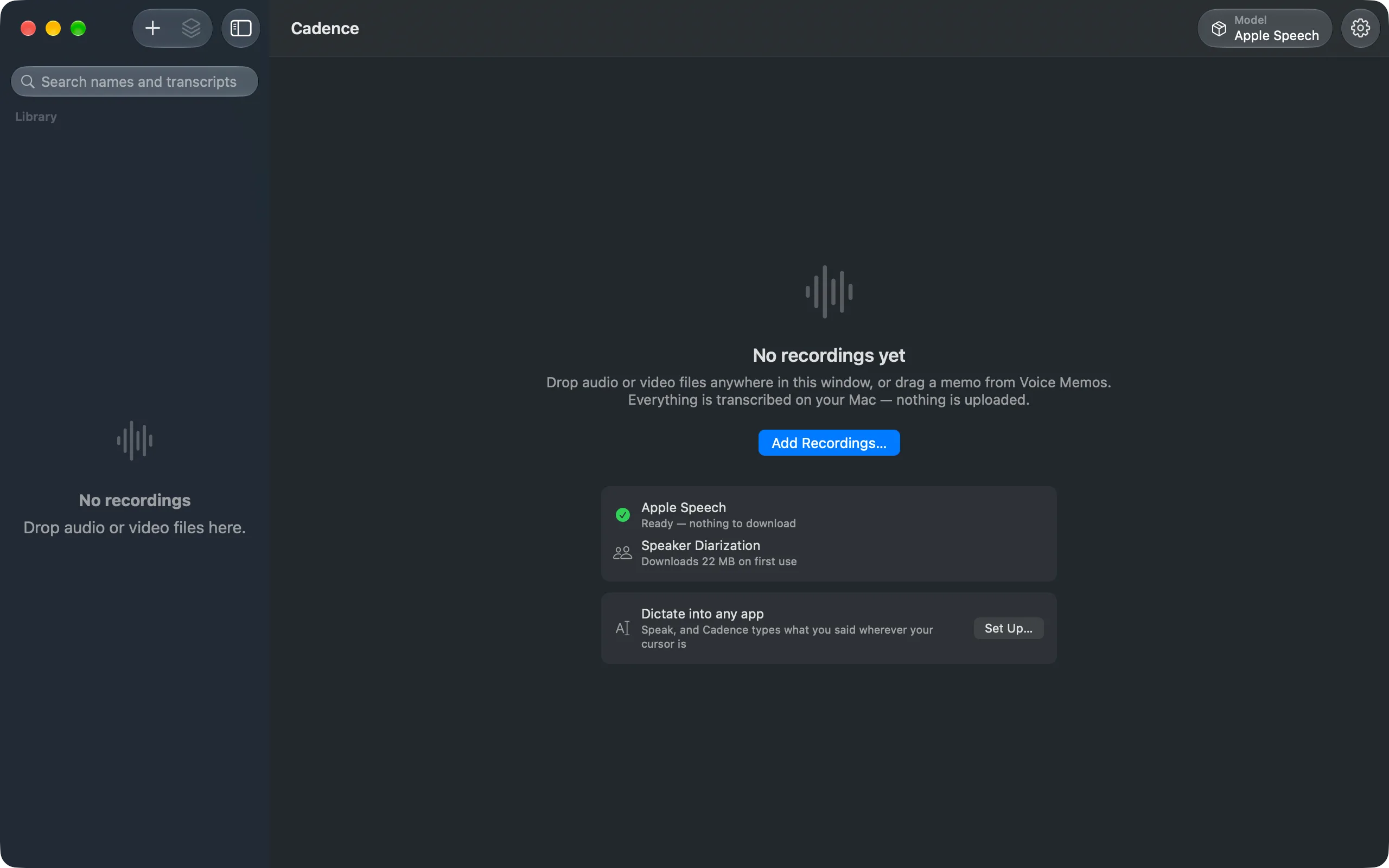
The app icon is available as app-icon.svg (vector, 1024 px artboard) and the mark on its own as logo.svg. Screenshots of the app are on the homepage — the library, the queue, the engine manager and the side-by-side comparison. The welcome screen is below.

What not to write
Cadence does not record: it transcribes existing files. It opens the microphone only for dictation, only while you dictate, and keeps neither the audio nor the text. Please do not describe planned features as shipping ones: a persistent speaker library, Shortcuts actions, per-recording setting overrides and editing the transcript text are all roadmap, not release 1.4.1. Search across transcripts, speaker renaming and playback with word-level follow-along do ship in 1.4.1, and they are free. The free tier is not a trial: it transcribes whole files without limit on two engines, one of which covers 25 European languages. What Pro adds is the full-size Parakeet and Whisper models, the batch queue, briefs, model comparison, four export formats and, on the Mac, dictation into any app. Briefs need Apple Intelligence and read 15 languages, so please do not describe them as available on every Mac Cadence runs on. The same is true of the verdict inside model comparison — the side-by-side reading itself works everywhere, and only the judgement of which engine was right needs the on-device model.